User management
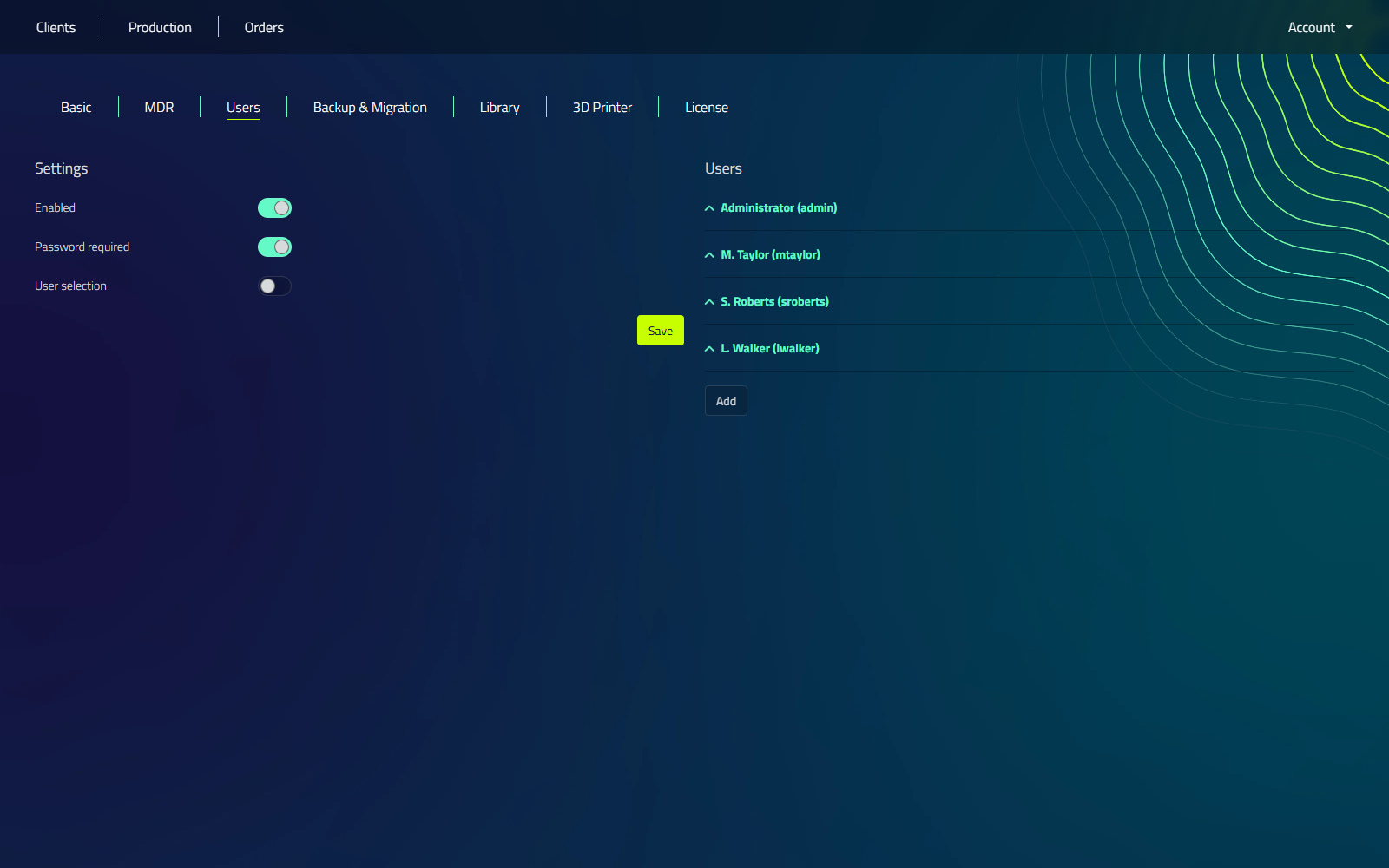
Location: Account → Settings → Users
Managing user accounts is crucial for security, accountability, and auditing purposes. Manager provides robust user management features that can be configured to suit your organization's needs.
Enabling User Management
To enable user management:
- Go to Account > Settings > Users
- Tick Enabled
When user management is disabled, Manager allows direct access to clients without user authentication.
The first time you enable user management, a dialog asks you to set an administrator password. This creates the first admin account.
User Authentication Options
Once user management is enabled, you can configure the following options:
- Password required: When enabled, users must enter a password to log in.
- User selection: This option allows you to choose between:
- Selecting a user from a list
- Manually entering a username
Choose the authentication method that best balances security and convenience for your organization.
Adding and Managing Users
To add a user:
- Go to Account > Settings > Users.
- Click Add and enter a username.
- On the new user row, fill in the Name and, when Password required is on, a Password.
- Click Save on the row, then Save the page.
To remove a user, click the delete (trash) icon on their row.
The main administrator account cannot be deleted, so it has no delete option.
User Access and Event Logging
With user management enabled, Manager provides comprehensive event logging for auditing purposes. The system records:
- Which user opened which client
- Project saving events
- Addition of items to production
- Deletion of items within Manager
All view, create, update, and delete events are registered, providing a detailed audit trail of user actions within the system.
Best Practices for User Management
- Regularly review user accounts and permissions
- Implement a strong password policy
- Train users on the importance of account security
Proper user management is essential for maintaining system security and accountability. Regularly review and update your user management policies and practices.