Users, groups and permissions
Location: Farm Settings → Users & Groups
The Users & Groups tab manages who can access the farm and what they may do. If team management is not in your plan, an upgrade panel appears: you can still remove members and delete groups, but not invite or add.
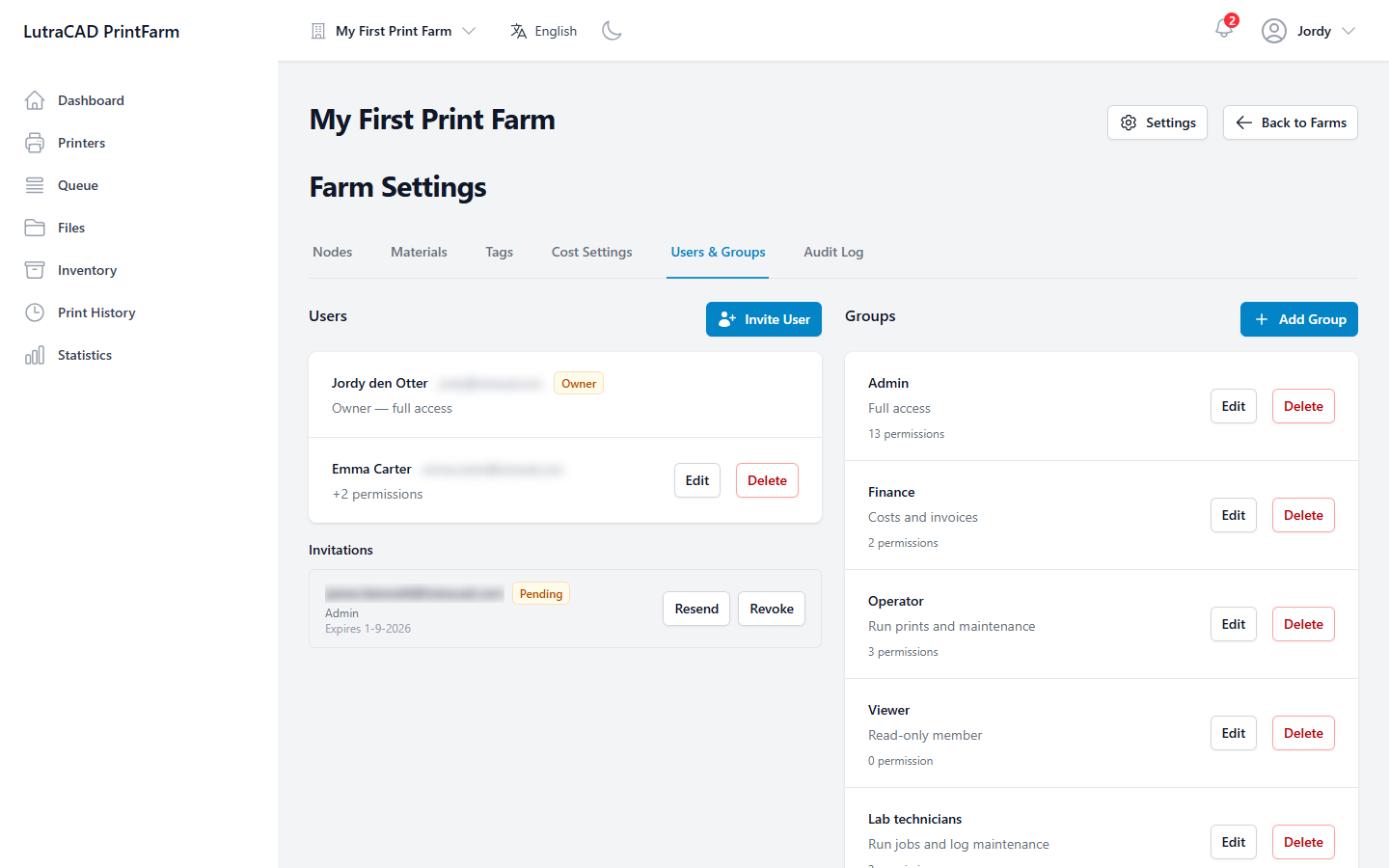
Users
Users lists the farm's members. The farm Owner has full access. Each other member shows their groups and any extra permissions.
- Invite User opens a dialog for an Email Address and the Groups to add the person to, then Send Invitation.
- Pending invitations can be Resend or Revoke.
- If the farm has reached its member limit, a Member limit reached message appears.
- Edit Member changes a member's Groups and their individual Permission overrides.
- Remove member asks "Are you sure you want to remove this member?"
Removing a member is permanent. It takes away their access to the farm.
Groups
Groups are reusable sets of permissions.
- Add Group opens Add Group with a Group Name, Description and a grid of Permissions.
- Delete Group warns that "Members lose the permissions this group grants."
A member's effective access is the sum of their groups' permissions plus any per-member overrides. The permission list itself is fixed by the system: it controls, among other things, who can manage nodes, materials, tags, cost settings, users, groups and the farm, and who can view the audit log.